


 October in your Vegetable garden in Portugal
 Things to do in November in your Veg Garden in Portugal.
 March is a busy time down in the veg patch.
 Things to do in September in your garden in Central Portugal.
 Things to do in the Veg. garden in July and August.
 There are lots of beaches in central Portugal, we have picked out 10 of our favourites. They are a mix
 Óbidos Chocolate Festival takes place around March/April each year.
 One of biggest Motorbike Festivals in Portual
 Preparations for the Festa start early in Tomar.
 In the second of Hey Portugal's series about “Festa dos Tabulerios” in Tomar Sylvia and Peter take a look at
 Meatballs with Endive and Potato Puree
Here a very easy recipe for a typical Dutch dish.
Meatballs with Endive and Potato Puree
Here a very easy recipe for a typical Dutch dish.
 A Greek recipe which is great for serving for a picnic, at a summer BBQ or as a starter.
 Here is the recipe you have all been waiting for. For all of you who miss tinned baked beans read
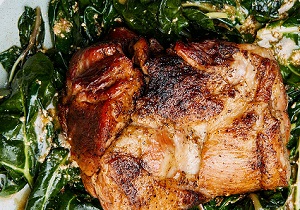 Milk Braised Pork
Great Sunday Lunch or Family gathering.
Milk Braised Pork
Great Sunday Lunch or Family gathering.
 Fish with Pesto Roasted Peppers and Tomatoes
This recipe is simple but very tasty and filling.
Fish with Pesto Roasted Peppers and Tomatoes
This recipe is simple but very tasty and filling.

How to get your post Brexit Biometric Card.
There is a lot of confusion about how the process works so one of our readers summarised this.
We both received our email invitation to book an appointment mid October with the link to enter the SEF portal. We booked appointments next to each other at 3.30/3.40 at Marinha Grande on Friday 4th November. The other option was for Pombal.
We reviewed what to take with us and we're advised to take an A4 sheet of paper with the following filled information, this has all the information you need for the appointment and means the person dealing with you does not need to ask questions, and also that the information is correct.
Full Name
Address
Passport Number
email address
Telephone number
Date of Birth
Place of Birth
NIF
Utente Number (SNS)
Social Security Number
Mothers Name
Fathers Name
We got to our appointment 15 mins early and wondered whether we had to take a ticket from the machine in the waiting room, we didn't as there is a dedicated Brexit biometric desk and they call your name at the appointment time.
The lady didn't speak English but we did the pleasantries and handed the A4 paper along with our passport. She took these and started processing the information on her computer. When done she asked us to approach the biometric camera where your picture, fingerprints (index fingers only), and signatures are collected.
When you're done she passes you a small piece of paper, with login details, explaining to make the payment on the SEF portal after 48 hours. This is the complicated bit as it isn't overly clear.
1. Log on to your account on the Brexit portal brexit.sef.pt/en/
2. Click on the yellow icon with the € symbol
3. Click on your name
4. Click on the date of your appointment
5. Click on the yellow icon next to the words "Payment Document DUC"
6. Click on the computer disk icon to produce and save the document with the payment references
Payment can only be made 48 hours (working days) after the document has been generated. There is also a deadline date on the document you downloaded.
If you have difficulty generating the payment document, or for any other reason, then contact SEF on 217115045 or email This email address is being protected from spambots. You need JavaScript enabled to view it.
Translation of message regarding Payment
Payment can be made through Multibanco, the Internet, and Credit Institutions, using the reference indicated. To make the payment using Multibanco, select the following option>
Payments and other services Public Sector Payment to the State.
This document is only valid when accompanied by proof of payment.
Current Delivery of Card is arround 3 weeks from appointment to receiving the card in the post.
This might change in future, but this in the process in Early November